- Move on to the left navigation menu and select History.
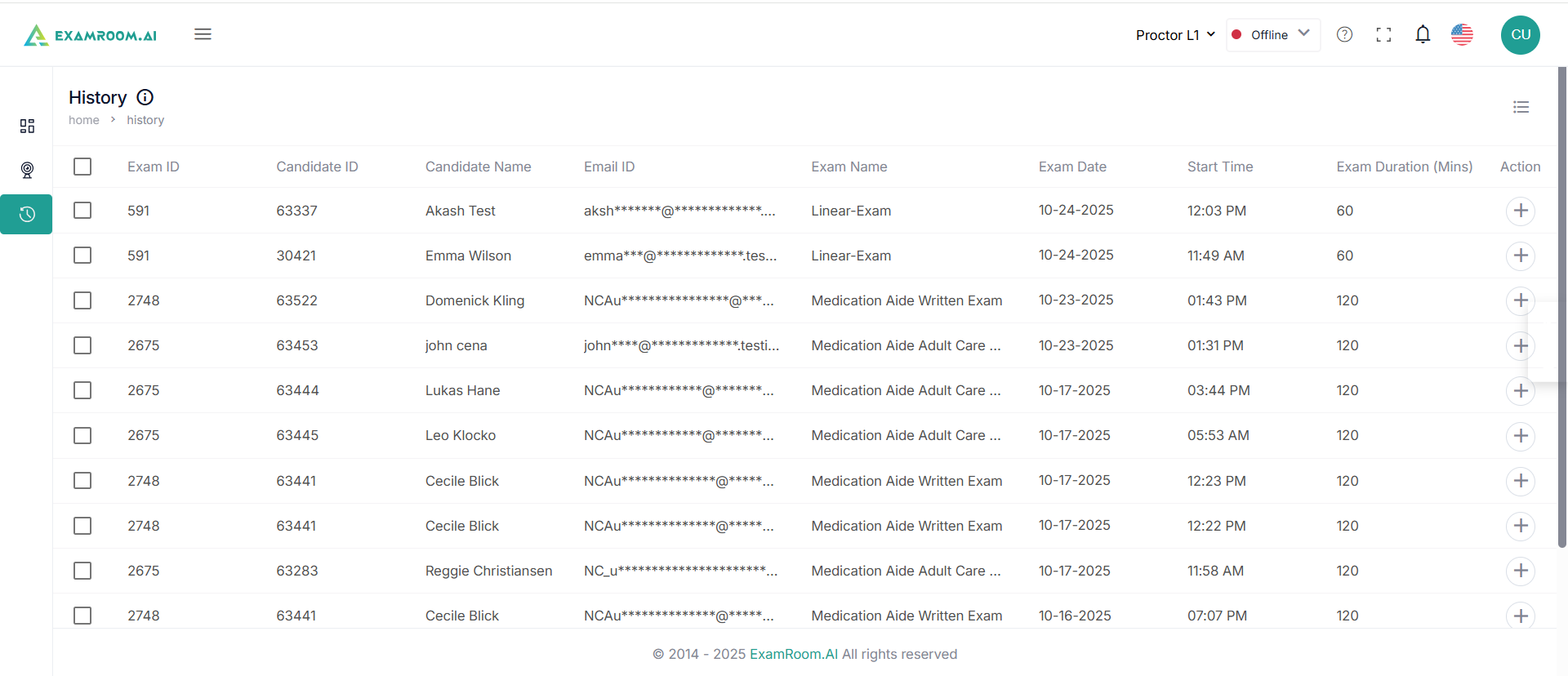
- The candidate's details in History are displayed as a list having the following details:
- Exam ID: The unique ID of the exam
- Candidate ID: The unique ID of the candidate
- Candidate Name: Name of the Candidate
- Email ID: Candidate’s email ID
- Exam Name: Name of the exam
- Exam Date: Date of the exam
- Start Time: Time of beginning of the exam
- Exam Duration (Mins): The duration of the exam in minutes
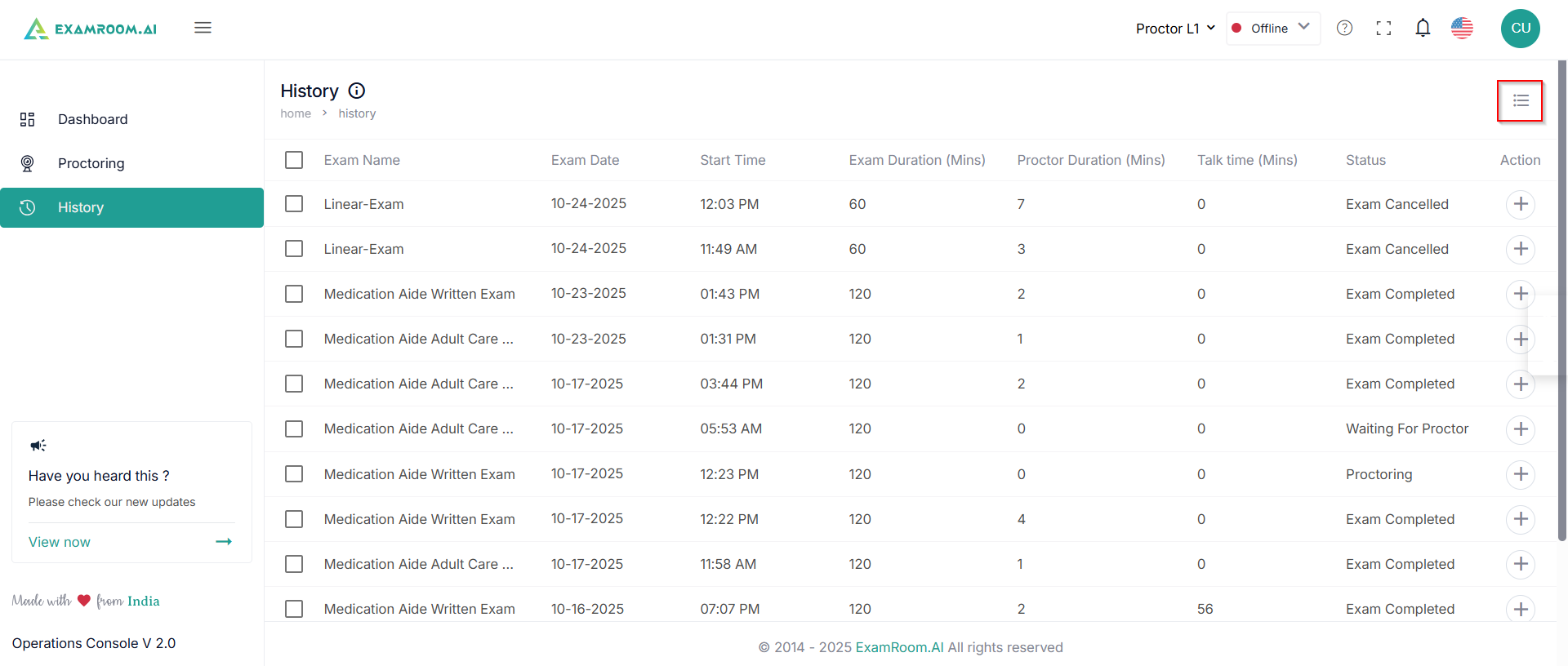
- Proctor Duration: The duration of proctoring
- Talk Time: The duration of the call, in case the proctor had dialed the candidate during the exam
- Status: Status of the exam
- Action: Available actions on candidate history
- View the final comment: Click to check the final comment on the candidate about exam completion (Check out or canceled).
- Click the Customize Display icon to select and view the columns and information relevant to you.
Was this article helpful?
