History
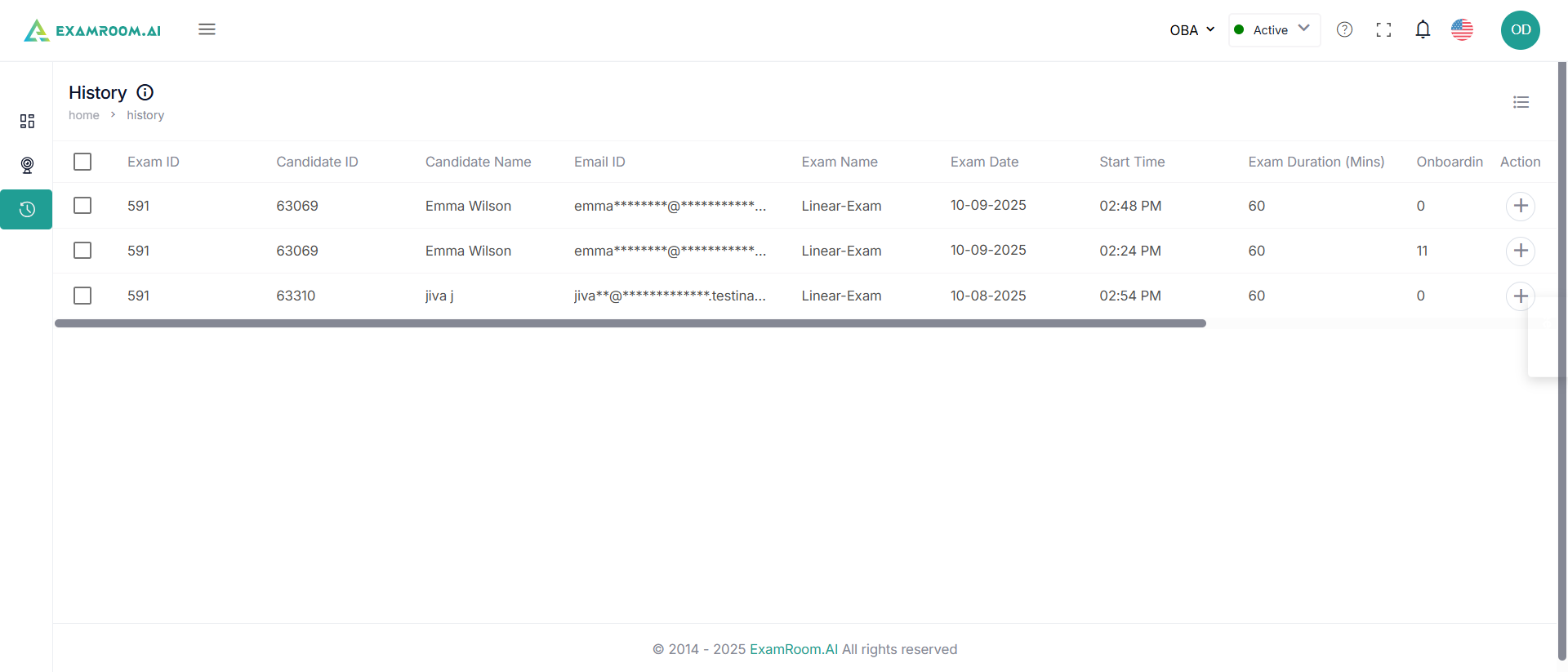
- Navigate to the left navigation menu and select History.
- The candidate details in History are displayed as a list having the following:
- Exam ID: Unique ID of the exam
- Candidate ID: Unique ID of the candidate
- Candidate Name: Name of the Candidate
- Email ID: Candidate’s email address
- Exam Name: Name of the exam
- Exam Date: Date of the exam
- Start Time: Time of the beginning of the exam
- Exam Duration (Mins): Duration of the exam in minutes
- Onboarding Duration: Duration of the onboarding in minutes
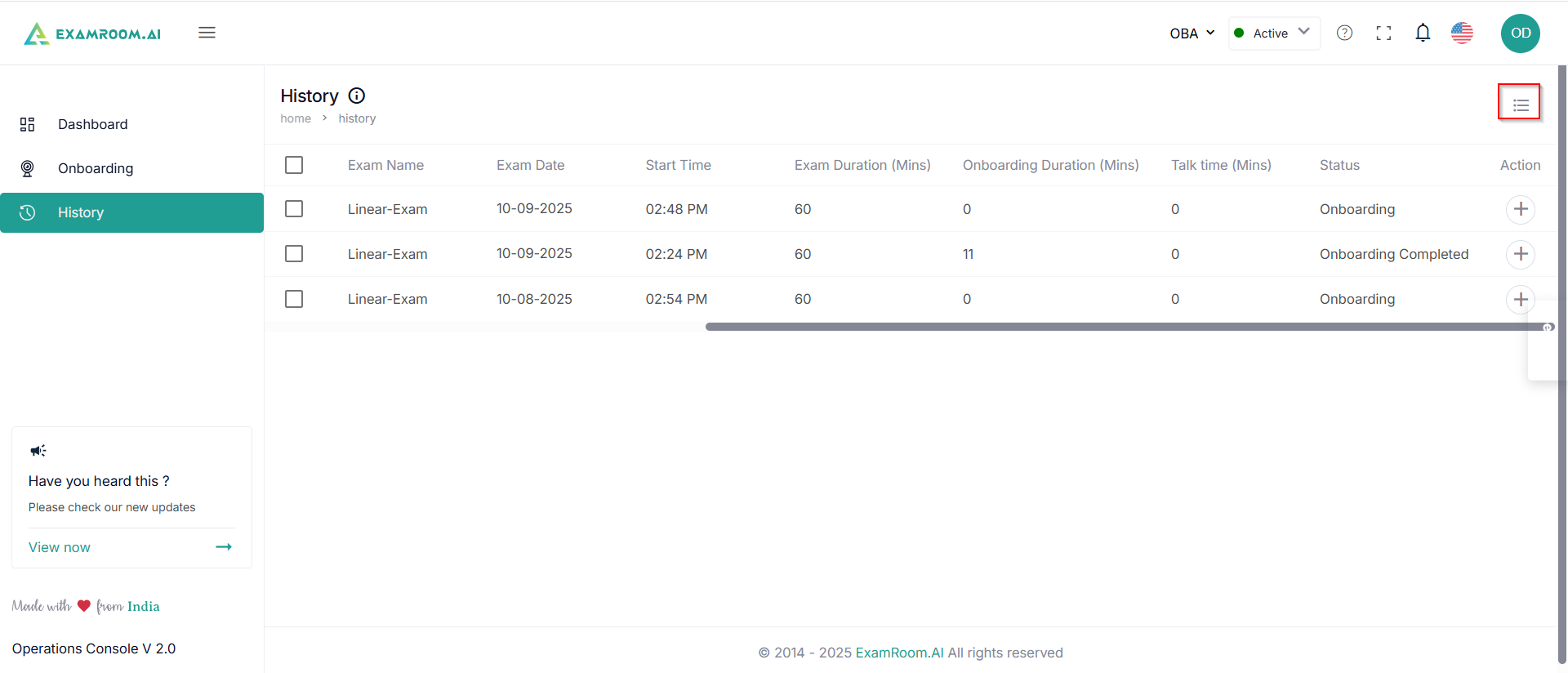
- Status: Status of the candidate
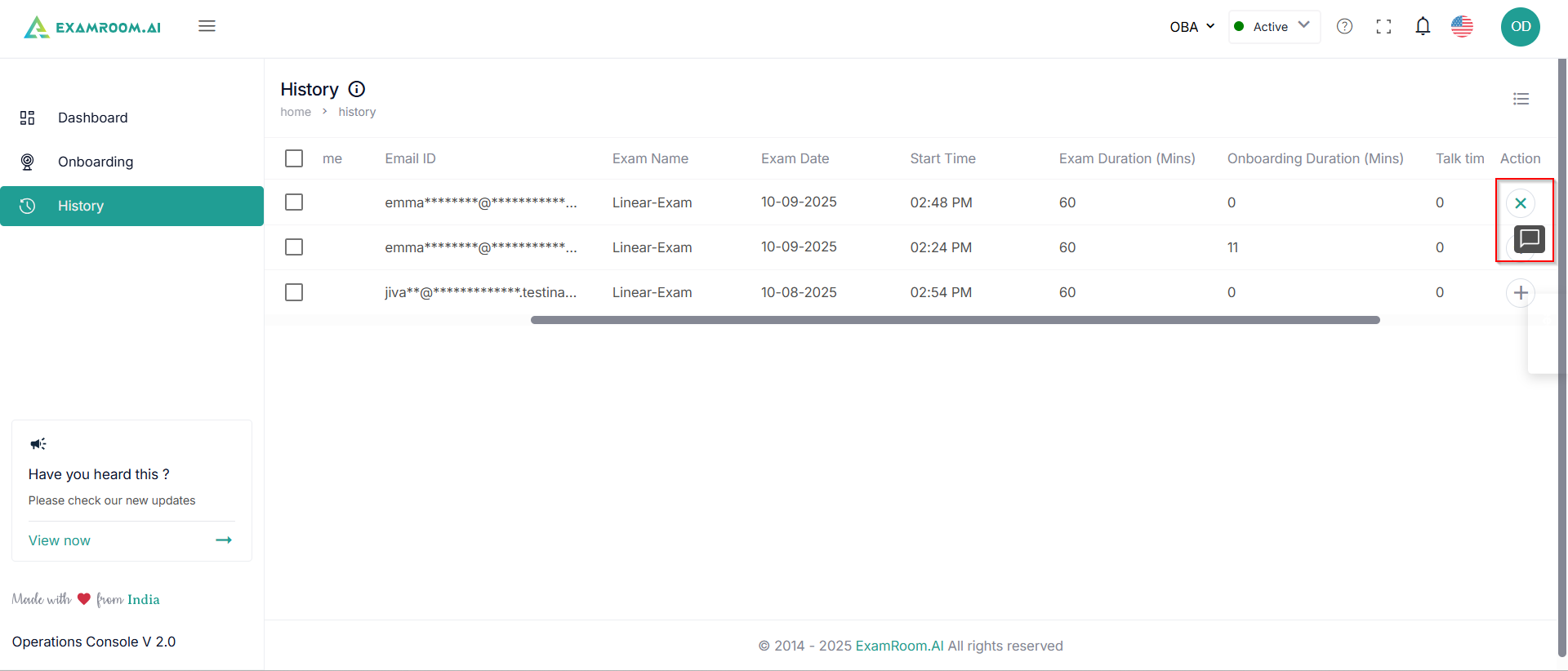
- Action: Available actions on candidate history
- View the final comment: Click to check the final comment on the candidate about exam completion (Check out or canceled)
- View the final comment: Click to check the final comment on the candidate about exam completion (Check out or canceled)
- The content display of the history is customizable as per the user’s requirement.